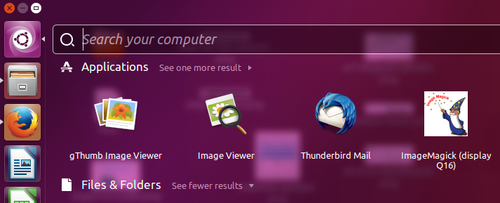
As many of you might already know, pressing the Super key (one that has Windows logo on it usually) on your keyboard launches the Dash search interface in Ubuntu.
But what if you don’t want Dash search to launch when you hit the Super key? What if you want some other program to open up instead? In this article, we will discuss a way to do this.
Please note that all steps/instructions mentioned in this tutorial have been tested on Ubuntu 16.04LTS.
First make sure you have CompizConfig Settings Manager installed. If not, you can install the tool by running the following command:
sudo apt-get install compizconfig-settings-manager
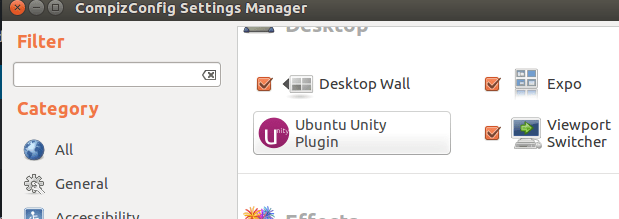
Once installed, launch the tool, and navigate to Unity Plugin.
Then, switch to the Launcher tab, and turn off the linking between Dash and the Super key.
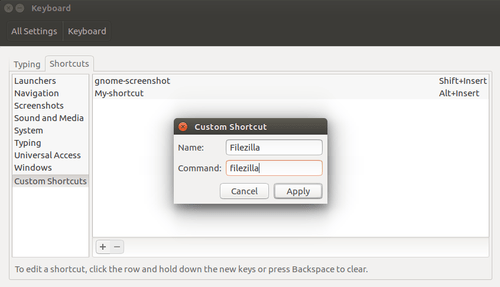
So this way, you can disable the launch of Dash search through Super key. Now, to enable the launch of a custom program, you need to create a custom command by heading to your system’s Settings and then to Keyboard -> Shortcuts -> Custom Shortcuts-> +.
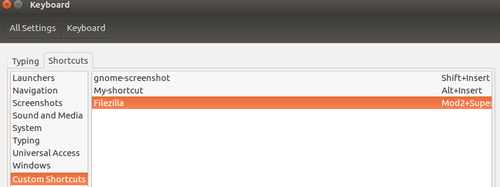
For example, I wanted Super key to launch Filezilla on my machine.
And then changed the corresponding key value from ‘Disabled’ to ‘Super.’
That’s it. The change will immediately come into effect.
The post How to make Super key launch a custom program rather than Unity search in Ubuntu appeared first on FAQforge.
In July 2025, git received CVE-2025-48384, a high vulnerability allowing arbitrary code execution when cloning…
Last year, we collaborated with two design student teams from Loughborough University in the UK.…
January 15, 2026 – Canonical, the publisher of Ubuntu and provider of open source security,…
How to install GitLab on Ubuntu 24.04 will be explained in this blog post with…
Do you know what was always there but has increased multiple times in the last…
The Digital Operational Resilience Act (DORA) came into force across the EU on January 17,…