Question – How to find local IP Address of my Ubuntu desktop system? 2 Ways to find IP Address on Ubuntu 20.04 Desktop operating system?
Ubuntu 20.04 LTS (Focal Fossa) desktop provides an attractive GUI interface to work with it. You can either use the command prompt to check the current IP address on your system or use a GUI option to view the local IP address on your system.
Follow this tutorial to setup a new IP address on Ubuntu 20.04 desktop system.
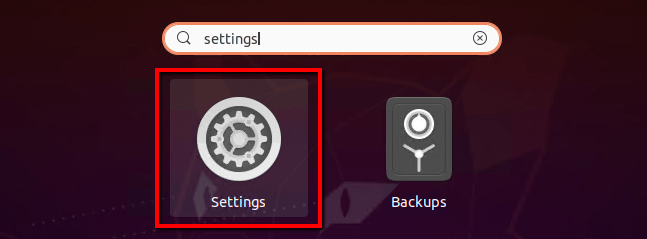
Login to your Ubuntu Desktop system. Then open settings windows on your Ubuntu Desktop machine as showing in the below screenshot.
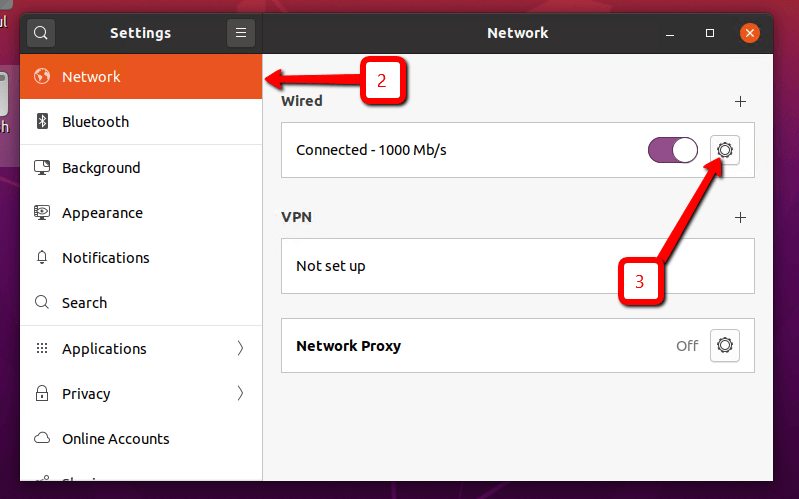
In the left sidebar click on the Network tab. After that click icon to open setting for your systems network interface as shown in the below screen.
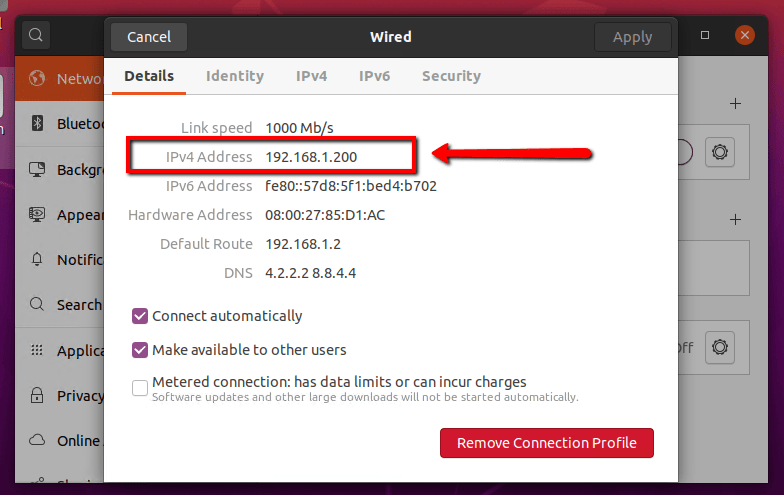
Here is the IP address of your Ubuntu desktop system. It also show you the default network route and dns servers details.
You can also view the IP address via the command line. Use method 2 to view IP.
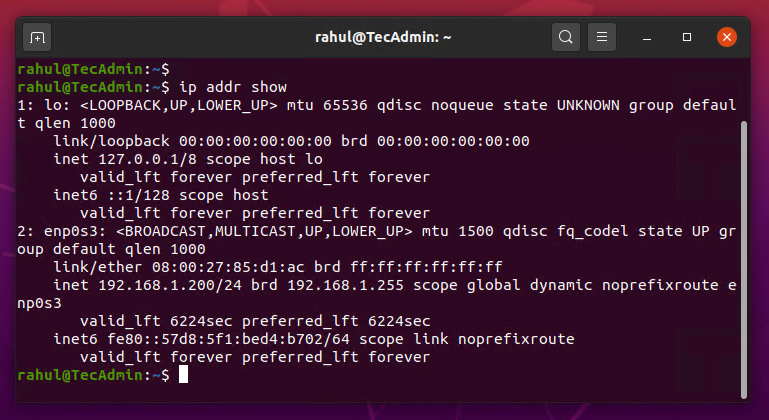
Press CTRL + ALT + T to launch the terminal on Ubuntu desktop system. Then run the following command to view current IP addresses configured on your system.
ip addr show
The post How to Check IP Address on Ubuntu 20.04 (Desktop) appeared first on TecAdmin.
A few months ago, we introduced Myna, our project to bring private, local speech-to-text dictation…
Ubuntu 26.10 “Stonking Stingray” arrives at a time when AI tools are accelerating vulnerability discovery.…
One of the best things about Rust is how easy it is to get started.…
Confidential computing is essential when an organization needs to process sensitive data on infrastructure where…
How on-demand Android environments turn validation into a repeatable pipeline stage In the first article,…
PostgreSQL is a powerful, open-source object-relational database management system known for its reliability, feature robustness,…